

If you run a business in Uganda and you still don’t have a website, or your current one looks like it was built in 2012, you’re leaving money on the table. Customers today search online before they buy. They check your website, judge your credibility in seconds, and move on if what they see doesn’t impress them.
But here’s the good news: you don’t need to be a tech expert to build a professional, high-performing website. You just need a clear plan and the right checklist to guide you.
This guide is your go-to web design checklist for 2026. Whether you’re building your first site or improving an existing one, you’ll find everything you need here from structure and branding to SEO and performance. Let’s get into it.
What Is a Web Design Checklist?
A web design checklist is exactly what it sounds like: a step-by-step list of everything you need to plan, build, and launch a website that works. Think of it like a recipe. Without one, you might forget key ingredients, mix things in the wrong order, or end up with something that doesn’t taste right.
A website design checklist helps you stay organised, avoid costly mistakes, and make sure nothing important gets skipped. It covers everything from choosing a domain name to making sure your site loads fast on a slow mobile connection.
More importantly, a good checklist ensures your website isn’t just pretty it’s functional, findable, and built to convert visitors into paying customers. Whether you’re doing this yourself or working with a designer, having a clear checklist keeps everyone on the same page.
Why Web Design Matters for Uganda Businesses in 2026

Uganda’s internet penetration has grown significantly over the past few years. With millions of Ugandans accessing the internet daily through smartphones, the digital opportunity for local businesses has never been bigger. Yet, so many businesses either have no website or have one that doesn’t work well on mobile devices.
Here’s why web design matters more than ever for Uganda businesses in 2026:
• First impressions are digital. Before walking into your shop or calling your number, most customers will Google you. Your website is your digital storefront, and people judge it in under five seconds.
• Mobile usage is dominant. Most Ugandan internet users browse on smartphones with limited data. A slow, non-responsive website instantly loses these visitors.
• Competition is growing online. More Ugandan businesses are investing in digital presence. If your competitor has a better website, you’re losing customers to them right now.
• Google rewards good design. Search engines favour fast, mobile-friendly, well-structured websites. Good web design isn’t just for looks, it directly impacts your search rankings.
A well-designed website builds trust, attracts traffic, and turns visitors into customers. In 2026, it’s not optional, it’s a business necessity.
Key Elements of a High-Converting Website
Before you even touch a website builder or open Figma, you need to understand what makes a website actually work, not just look good, but bring in leads, enquiries, and sales. Here are the five non-negotiables:
Clear Value Proposition and Messaging
Your homepage should answer one question within the first few seconds: “What do you do and who do you help?” If a visitor can’t figure that out quickly, they’ll leave. Your value proposition should be clear, benefit-focused, and speak directly to the customer’s problem. Avoid vague taglines like “We provide quality solutions.” Instead, say something specific: “We help Kampala restaurants get more bookings through their website.” For more insights on how design communicates trust and confidence to Ugandan customers, read this guide on trust-building design.
Mobile-First Responsive Design
Over 80% of internet traffic in Uganda comes from mobile devices. That means your website must look and work perfectly on a small screen before you worry about how it looks on a desktop. A mobile-first responsive design automatically adjusts your layout, font sizes, and images to fit any screen size. This is a web design best practice in 2026, not a bonus feature.
Fast Loading Speed and Performance
Speed is everything. Studies show that if your website takes more than three seconds to load, more than half of your visitors will leave. In Uganda, where many users are on slower mobile data connections, this is even more critical. Optimising your images, using a reliable host, and reducing unnecessary scripts are the first steps. If you need detailed guidance on this, check out this in-depth article on website speed optimization for Uganda’s low-bandwidth environment.
Simple and Intuitive Navigation
Think of your website navigation like the layout of a supermarket. Everything should be easy to find without asking for help. Keep your menu simple, no more than five to seven main links. Use clear labels like “Services”, “About”, and “Contact” rather than clever but confusing names. Good navigation reduces frustration and keeps people browsing longer.
Strong Call-to-Action (CTA) Placement
Every page on your website should tell visitors what to do next. A call-to-action (CTA) is a button or link that drives action “Get a Free Quote”, “Book a Consultation”, “Call Us Now”. Place CTAs above the fold (visible without scrolling), in the middle of long pages, and at the bottom of every service or product page. A conversion-focused website design never leaves visitors guessing what their next step should be.
Step-by-Step Web Design Checklist

This is the heart of this guide. Use this website development checklist as your blueprint, whether you’re a first-timer or improving an existing site.
Planning Your Website Structure
Before touching any design tool, map out what pages your website needs and how they connect. This is called your site architecture, and it’s the foundation everything else sits on.
• List all the pages you need (Home, About, Services, Blog, Contact)
• Decide which pages link to each other
• Create a simple sitemap (even a rough sketch on paper works)
• Identify your primary goal for each page (inform, convert, capture leads)
Choosing the Right Domain and Hosting
Your domain name is your online address. Keep it short, easy to spell, and related to your business name. For Uganda-based businesses, a .co.ug or .ug domain can reinforce local trust, though .com remains the most widely recognised. For hosting, choose a provider with servers close to your audience or one that offers a global CDN for faster load times. If you’d like professional help setting this up, explore our web design services to get started the right way.
• Pick a domain that’s simple and memorable
• Choose a reliable hosting provider (SiteGround, Bluehost, or local options)
• Set up an SSL certificate so your site shows “https” (a trust and SEO signal)
• Connect your domain to your hosting provider
Designing the Homepage Effectively
Your homepage is the most important page on your site. It must capture attention, communicate value, and guide visitors to take action all within the first few seconds.
• A clear headline that tells visitors who you are and what you do
• A strong hero image or video relevant to your business
• A primary CTA button visible without scrolling
• Brief highlights of your key services
• Testimonials or social proof to build trust
Creating Essential Pages (About, Services, Contact)
Every business website needs these core pages:
• About Page: Share your story, your team, and why customers should trust you. Be personal and genuine.
• Services Page: Describe what you offer clearly, with benefits highlighted, not just features.
• Contact Page: Include a form, phone number, email address, and your physical location if applicable. Add a Google Map embed for local businesses.
Setting Up Branding and Visual Identity
Consistency in design builds brand recognition. Every element of your site should reflect your brand identity colours, fonts, logo, and tone of voice.
• Use a consistent colour palette (two to three primary colours)
• Stick to one or two readable fonts throughout
• Use high-quality images that reflect your brand and audience
• Display your logo prominently in the header and footer
Adding SEO Basics (Titles, Meta Descriptions, Keywords)
SEO is how people find your website on Google without you paying for ads. Getting the basics right during the design phase saves a lot of rework later. Use this SEO checklist for a comprehensive breakdown of modern on-page and technical SEO strategies.
• Write a unique title tag for every page (under 60 characters)
• Add a meta description that summarises the page (under 160 characters)
• Include your primary keyword naturally in headings and body text
• Add descriptive alt text to all images
• Set up Google Analytics and Google Search Console from day one
Integrating Contact Forms and Lead Capture Tools
Your website should be doing the work of converting curious visitors into warm leads. Lead capture tools do exactly that.
• Add a contact form to your Contact page and homepage
• Include a WhatsApp button or live chat widget for instant communication
• Offer a lead magnet (free guide, checklist, or consultation) in exchange for email addresses
• Test that all forms send notifications to your email
Testing Responsiveness and Usability
Before you launch, test everything. A broken link or a form that doesn’t submit can cost you customers.
• Test your website on multiple devices (desktop, tablet, mobile)
• Check all links to make sure none are broken
• Test page loading speed using Google PageSpeed Insights
• Ask someone unfamiliar with your website to navigate it and note any confusion
Best Tools for Web Design in 2026
You don’t need expensive software or a coding degree to build a great website in 2026. Here are the best tools to get the job done efficiently.
Website Builders (WordPress, Wix, Shopify)
• WordPress: The most powerful and flexible platform. Best for businesses that want full control and plan to grow. It requires a bit of a learning curve but offers unmatched customisation.
• Wix: Great for beginners. Drag-and-drop simplicity with beautiful templates. Ideal for small businesses that want a professional look without the technical complexity.
• Shopify: The go-to platform for e-commerce. If you’re selling products online, Shopify makes it easy to set up a secure and conversion-optimised store.
Design Tools (Figma, Canva)
• Figma: The industry standard for UI/UX design. It’s perfect for creating wireframes and mockups before building. It’s free to start and very collaborative.
• Canva: Ideal for creating graphics, banners, and visual elements for your website without any design experience.
SEO Tools (Google Search Console, Ahrefs, Ubersuggest)
• Google Search Console: Free and essential. It shows you how your site performs in search, what keywords bring traffic, and any technical errors to fix.
• Ahrefs: A premium tool for deep keyword research and backlink analysis. Excellent for businesses ready to invest in serious SEO.
• Ubersuggest: A more affordable alternative to Ahrefs, great for beginners doing basic keyword research.
Performance Tools (PageSpeed Insights, GTmetrix)
• Google PageSpeed Insights: Instantly scores your site’s speed and gives specific recommendations to improve it.
• GTmetrix: Gives a deeper breakdown of load time issues, making it easier to identify what’s slowing your site down.
Common Web Design Mistakes to Avoid
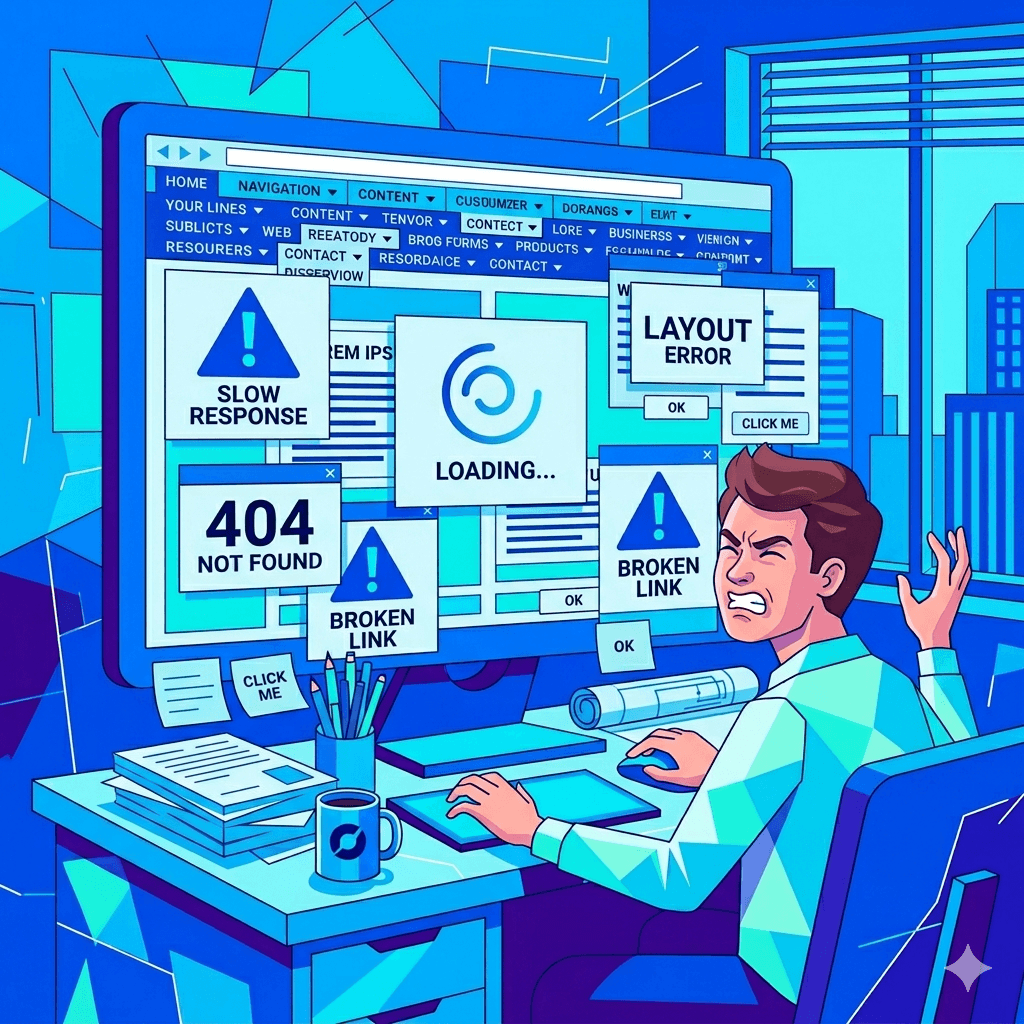
Even experienced designers fall into these traps. Here’s what to watch out for when building your business website:
• Cluttered design: Too many images, colours, and fonts make your site look unprofessional and confuse visitors. Less is more. White space is your friend.
• No clear CTA: If visitors don’t know what to do next, they’ll do nothing. Every page needs a next step.
• Ignoring mobile users: A site that looks great on desktop but breaks on mobile will lose the majority of your audience.
• Using stock photos that feel fake: Generic stock images reduce trust. Use real photos of your business, team, or products wherever possible.
• Skipping SEO during design: Bolting on SEO after launch is ten times harder. Build it in from the start.
• Broken links or forms: Nothing kills a potential customer’s trust faster than a “404 Not Found” error or a form that fails silently.
• Outdated content: A blog that hasn’t been updated in two years or a “2019 special offer” still showing sends the message that nobody’s home.
How to Optimize Your Website for Local SEO in Uganda
Local SEO is about making sure people in your area can find you online when they search for what you offer. For Uganda businesses, this is one of the highest-return things you can do. For a detailed walkthrough of local SEO strategies specific to Kampala and other Ugandan markets, read our local SEO guide for beginners.
Google Business Profile Setup
Creating and verifying your Google Business Profile is one of the single most powerful things you can do for local visibility. It ensures your business shows up in Google Maps and local search results. Fill in every field business name, address, phone number, website, opening hours, photos, and category. Keep your details consistent across all platforms.
Local Keyword Targeting
Include location-specific keywords naturally in your web content. Instead of just “web designer”, use “web designer in Kampala” or “affordable website design Uganda”. Think about how your local customers phrase their searches and write your content to match. Add location mentions in your page titles, headings, and body copy where they make sense.
Mobile Optimization for Local Users
Most local searches in Uganda happen on mobile. This makes a mobile-friendly website design not just a good idea but essential for local SEO. Google now uses mobile-first indexing, which means it looks at the mobile version of your site first when deciding where to rank you. If your site loads slowly or looks broken on mobile, it directly hurts your local search rankings.
Adding Location-Based Content
Create content that speaks directly to your local audience. This could be blog posts about local industry trends, case studies from Ugandan clients, or a dedicated landing page for your city or neighbourhood. Adding a Google Maps embed on your contact page also reinforces your local presence and helps customers find you physically.
Cost of Building a Professional Website in Uganda
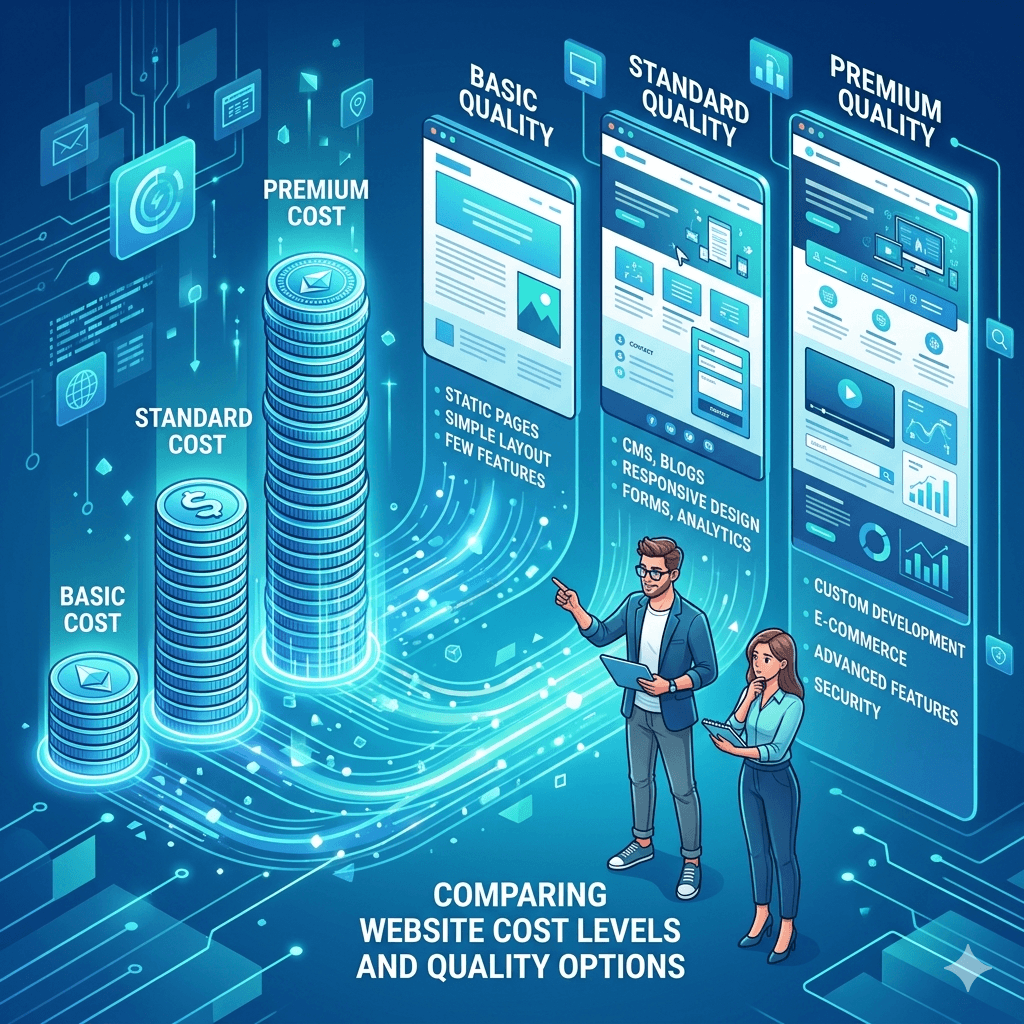
One of the most common questions from Ugandan entrepreneurs is: “How much will my website cost?” The answer depends on several factors including complexity, number of pages, features required, and whether you hire a professional or do it yourself.
Here’s a rough breakdown of typical costs:
• DIY with Wix or WordPress: UGX 200,000 to 500,000 per year for hosting and domain. Your investment here is mostly time.
• Freelance designer: UGX 1,000,000 to 5,000,000 depending on experience and project scope.
• Professional web design agency: UGX 3,000,000 to 15,000,000 or more for a fully custom, SEO-optimised, conversion-focused website.
• Ongoing maintenance: Budget an additional UGX 500,000 to 2,000,000 per year for updates, security, and content.
Remember, your website is an investment, not an expense. A well-built site can generate leads, bookings, and sales around the clock and the return on investment typically far exceeds the initial cost.
Future Trends in Web Design (2026 and Beyond)
The web design landscape is evolving fast. Here’s what’s shaping modern web design trends in 2026 and what’s coming next:
AI-Powered Website Builders
AI tools are making it faster and cheaper to build websites than ever before. Platforms like Wix ADI and Framer AI can generate a basic website from a few prompts. This democratises web design, especially for small businesses without big budgets. However, human judgment is still needed to make a site truly speak to your audience.
Voice Search Optimization
More people are using voice assistants like Google Assistant and Siri to search online. This means websites need to be optimised for conversational, question-based queries not just short keywords. Writing content that directly answers common questions (like FAQ sections) is a great way to capture voice search traffic.
Minimalist and Speed-Focused Design Trends
The best websites in 2026 are clean, fast, and focused. Heavy animations, auto-playing videos, and overly complex layouts are giving way to minimalist design that loads quickly and communicates clearly. This trend is especially relevant in Uganda, where bandwidth constraints reward websites that do more with less.
Frequently Asked Questions
What should be included in a web design checklist?
A complete web design checklist should cover website structure and planning, domain and hosting setup, homepage design, essential pages (About, Services, Contact), branding and visual identity, on-page SEO basics, contact forms and lead capture tools, mobile responsiveness, and performance testing. This website design checklist for small business should also include post-launch items like setting up analytics and connecting to Google Search Console.
How much does it cost to design a website in Uganda?
The cost varies based on complexity and who builds it. DIY options start from around UGX 200,000 per year for hosting and a domain. Hiring a freelancer typically costs between UGX 1,000,000 and 5,000,000, while a professional agency may charge UGX 3,000,000 to 15,000,000 or more for a fully custom, optimised site. Affordable website design in Uganda is very accessible for small businesses willing to invest in the right platform or partner.
Do small businesses really need a website in 2026?
Absolutely yes. Even if you get most of your customers through word of mouth or social media right now, a website adds credibility, works 24/7, and helps you rank in Google searches. Without one, you’re invisible to a growing segment of customers who verify businesses online before making contact. A local business website design in Uganda is no longer optional; it’s a baseline expectation.
What makes a website convert visitors into customers?
Conversion-focused website design combines a clear value proposition, strong CTAs, social proof (testimonials and reviews), fast load times, and easy navigation. Visitors convert when they trust you, understand what you offer, and know exactly what to do next. Remove friction at every step of the journey from landing to enquiry.
Which platform is best for beginners building a website?
Wix is generally the easiest platform for complete beginners thanks to its drag-and-drop interface and beautiful ready-made templates. WordPress is the best long-term investment if you’re willing to learn the basics, as it offers far more flexibility and is better for SEO. Shopify is the clear winner if you plan to sell products online.
How long does it take to build a professional website?
A simple brochure website can be set up in a few days to two weeks. A more complex site with custom design, multiple service pages, a blog, and SEO optimization typically takes four to eight weeks. The timeline depends on how quickly you can provide content (text and images) and how many rounds of revisions are needed.
How important is SEO in web design?
SEO and web design are two sides of the same coin. A beautiful website that nobody can find is like a great shop hidden in a back alley. Building SEO into the structure, content, and technical foundation of your site from the beginning is far more effective than trying to add it on later. An SEO web design checklist is essential for anyone who wants organic traffic.
Can I build a website without coding skills?
Yes, absolutely. Website builders like Wix, Squarespace, and the Elementor page builder for WordPress all allow you to design and launch a professional website without writing a single line of code. These platforms have made web design accessible to anyone with a basic understanding of computers and a clear vision for their brand. Website design tips for beginners always start here, choose the right platform and let the tools do the technical heavy lifting.
Final Thoughts
Building a great website doesn’t happen by accident. It takes planning, attention to detail, and a clear understanding of what your audience needs. That’s exactly what this web design checklist is here for.
Whether you’re launching your first business website or giving an existing one a much-needed overhaul, use this guide as your reference at every step. Revisit it when you add new pages, refresh your branding, or optimise for local SEO.
The businesses that invest in their web presence today will be the ones leading their industry tomorrow. Uganda’s digital economy is growing fast and now you have the checklist to grow with it.