

Introduction
If you have ever waited more than five seconds for a website to load on your phone, you know how frustrating it feels. Now imagine your potential customers going through that same experience on your business website. In Uganda, where many users rely on mobile data and 3G or 4G connections, a slow website is not just annoying, it is bad for business.
Website speed optimization Uganda is one of the most overlooked aspects of running a successful online presence. Yet it directly affects how long visitors stay on your site, how many of them buy your products or contact you, and even how well your site ranks on Google.
This guide walks you through practical, affordable steps to speed up your website even if you are not a developer. Let us get into it.
What Is Website Speed?
Website speed refers to how quickly your web pages load and become usable for visitors. Think of it like a bodaboda delivery. The faster it arrives, the happier the customer.
When someone visits your website, their browser sends a request to your server, which then sends back all the files needed to display your page images, text, code, and more. Website speed is essentially how fast all of that happens. Speed is one part of a well-built site — our web design guide for Ugandan businesses covers the others.
Speed is typically measured in seconds. A page that loads in under two seconds is considered fast. Anything above three seconds is already too slow for most users, especially on mobile data in Uganda.
Understanding your website loading speed improvement is the first step toward fixing it. You cannot improve what you do not measure.
Why Website Speed Matters in Uganda
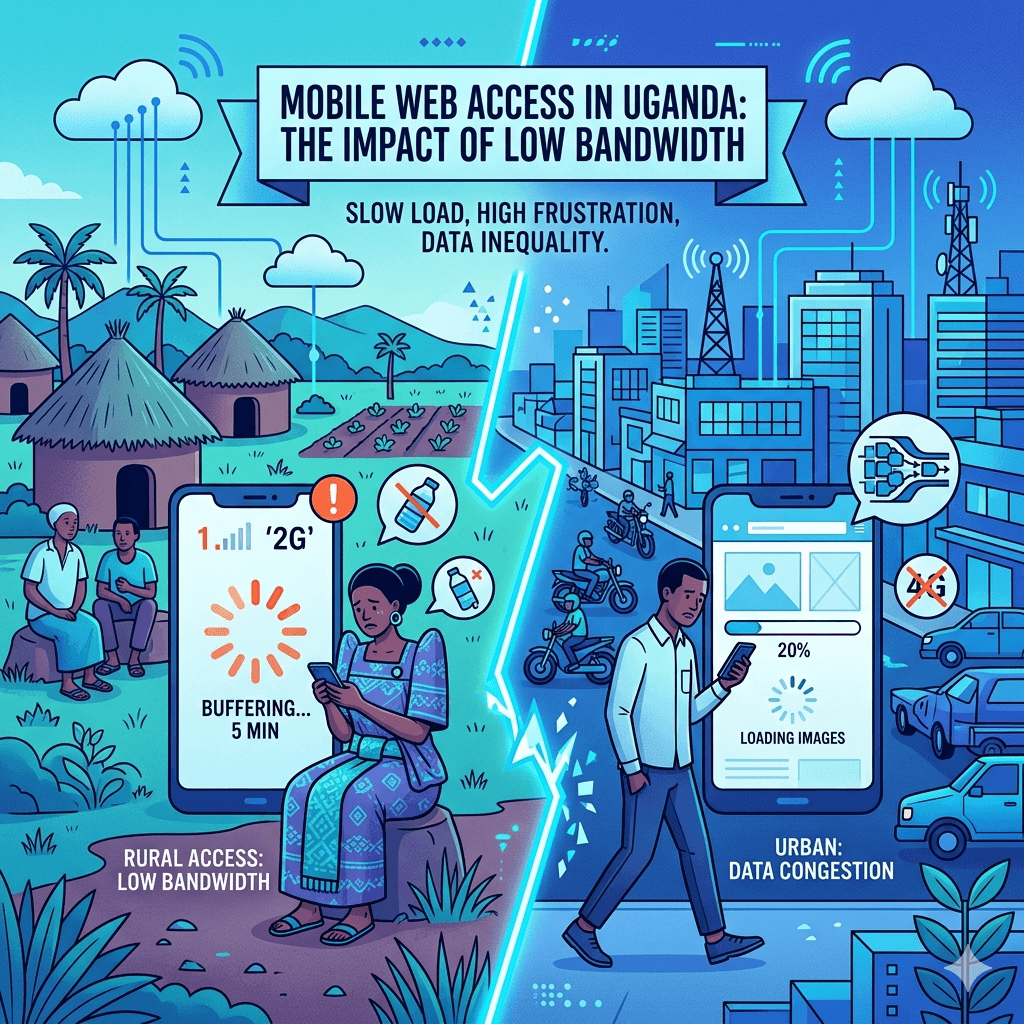
Uganda’s internet landscape is growing fast, but bandwidth is still limited for many users, especially those outside Kampala. Most people browse on smartphones using mobile data, which means every kilobyte counts.
A slow website fix is not just about user experience. According to Google, over 50% of mobile users abandon a website that takes longer than three seconds to load. That means you could be losing half your potential customers before they even see your products.
Website speed also directly affects your SEO. Google uses page speed as a ranking signal. If your site is slow, it will rank lower in search results which means fewer people find you in the first place. Check out our SEO Guide to understand how speed connects to your overall search strategy.
And if you are deciding between a website and social media, a fast-loading, well-optimized site beats social media for long-term business growth. Read more on that in ourWebsite vs Social article.
Bottom line: in Uganda’s low-bandwidth environment, website speed optimization is not optional, it is essential.
Common Causes of Slow Websites
Before you can fix a slow website, you need to know what is causing it. Here are the most common culprits:
Large, Unoptimized Images
Images are often the heaviest files on a webpage. If you upload a 5MB photo straight from your camera, your website has to load all those bytes every time someone visits. That is like sending someone a full sack of maize when they only needed a cup.
Too Many Plugins or Scripts
Every plugin or third-party script you add to your site adds extra requests and code that the browser must process. Too many of them especially poorly coded ones, can slow your site significantly. Learn how to pick only what you need in our guide to WordPress Plugins.
Poor Hosting Services
Your hosting provider is like the land your shop sits on. If the ground is unstable or overcrowded, everything suffers. Cheap or overloaded hosting servers take longer to respond to page requests, adding seconds to your load time before anything even reaches the user.
Heavy Themes and Page Builders
Some WordPress themes and page builders, especially premium ones loaded with animations, fonts, and design features come with huge amounts of code. Even features you are not using get loaded, which slows everything down.
No Caching or Compression
Without caching, your server rebuilds your pages from scratch every single time a visitor arrives. Without compression, large files get sent in full to the browser. Both are unnecessary work that you can easily avoid with the right settings.
How to Test Your Website Speed

You cannot fix what you have not measured. Before making any changes, run a speed test to get a clear baseline.
Use Free Speed Testing Tools
There are excellent free tools available for this. Google PageSpeed Insights, GTmetrix, and Pingdom are among the most popular. Just enter your URL and they will show you a detailed report with a speed score and specific recommendations.
Check Mobile vs Desktop Performance
Always test on both mobile and desktop. Since most Ugandan users browse on phones, your mobile score matters more. Google PageSpeed Insights provides separate scores for both, which makes this easy.
Understand Basic Speed Metrics
The key metrics to watch are: First Contentful Paint (when the first content appears), Time to Interactive (when the page is fully usable), and Total Page Size. Aim for load times under three seconds and page sizes under 1MB for mobile.
Identify Problem Areas
Speed testing tools also highlight specific problems like large images, render-blocking scripts, or missing caching headers. Use these as your action checklist. Address the biggest issues first for the most noticeable improvement.
How to Optimize Images for Faster Loading
Images are usually the biggest win when it comes to reducing website loading time. Here is how to handle them properly:
Resize Images Before Uploading
If your website displays images at 800 pixels wide, there is no need to upload a 3000-pixel-wide photo. Use a free tool like Canva or Paint to resize images to the actual dimensions needed before uploading them.
Compress Images Using Tools
Compression reduces file size without visibly lowering quality. Tools like TinyPNG, Squoosh, and ShortPixel are excellent for this. Many can reduce image size by 60–80% with no noticeable change in appearance. For WordPress users, plugins like Smush automate this process.
Use Modern Formats (e.g., WebP)
WebP is a modern image format developed by Google that offers much better compression than JPEG or PNG. Switching to WebP can cut image file sizes by 25–35% with the same visual quality. Most modern browsers now support it.
Enable Lazy Loading
Lazy loading means images only load when a user scrolls down to them, instead of all at once when the page first opens. This dramatically speeds up initial page load. WordPress includes lazy loading by default from version 5.5 onwards.
How to Choose the Right Hosting
Your web host plays a major role in your website’s response time. Choosing the wrong one can sabotage all other optimization efforts.
Local vs International Hosting
Hosting your website on a server physically located closer to your audience reduces latency. For Ugandan businesses targeting local customers, a hosting provider with servers in East Africa or South Africa can make a noticeable difference compared to servers in Europe or the US.
Shared vs VPS Hosting
Shared hosting is affordable but means you share server resources with hundreds of other websites. A VPS (Virtual Private Server) gives you dedicated resources and consistently better performance. If your site gets regular traffic, VPS hosting is worth the investment.
What to Look for in a Host
Look for hosts that offer SSD storage, good uptime guarantees (99.9% or higher), built-in caching, and solid customer support. Server response time ideally under 200ms is one of the most important factors for website speed.
Budget-Friendly Hosting Options
There are good hosting options that are affordable without sacrificing performance. Our detailed Hosting Guide compares the best options for Ugandan websites, including local and international providers at different price points.
How to Use Caching to Improve Speed

What Is Caching?
Caching is like preparing a meal in advance so it is ready the moment a guest arrives, instead of cooking from scratch each time. Your server stores a static version of your pages so it does not have to rebuild them for every visitor.
Types of Caching (Browser, Server)
Browser caching stores assets like images and stylesheets on the visitor’s device, so repeat visits load faster. Server-side caching stores pre-built HTML pages on your server, reducing the processing needed for each request. Both make a big difference.
Easy Caching Plugins/Tools
For WordPress, WP Super Cache and W3 Total Cache are free plugins that set up caching quickly. LiteSpeed Cache is excellent if your host uses LiteSpeed servers. These plugins also handle other optimizations like minification.
How to Enable Caching
Install your chosen caching plugin, activate it, and run through the basic setup wizard. Most will automatically configure sensible defaults. After enabling caching, run a speed test again to see the improvement it is often significant.
How to Minimize Code and Scripts
Minify CSS, JavaScript, and HTML
Minification removes unnecessary spaces, comments, and characters from your code without changing how it functions. It is like packing your luggage efficiently with the same items, less space. Caching plugins like W3 Total Cache or Autoptimize handle this automatically.
Remove Unused Plugins and Themes
Every inactive plugin or theme still adds weight to your site. Go through your WordPress dashboard and delete anything you are not actively using. A clean install with only necessary tools is always faster than a cluttered one. Our WordPress Plugins guide helps you identify what is essential and what is bloat.
Reduce External Scripts
External scripts like chat widgets, social share buttons, advertising trackers, and analytics tools all add HTTP requests. Each one requires the browser to contact another server. Audit your scripts regularly and remove any you do not actively use or need.
Combine Files Where Possible
Instead of loading ten separate CSS files, combine them into one. Fewer requests mean faster loading. Plugins like Autoptimize can merge and optimize your CSS and JavaScript files automatically, making this a hands-off improvement for most users.
How to Optimize for Mobile and Low Bandwidth
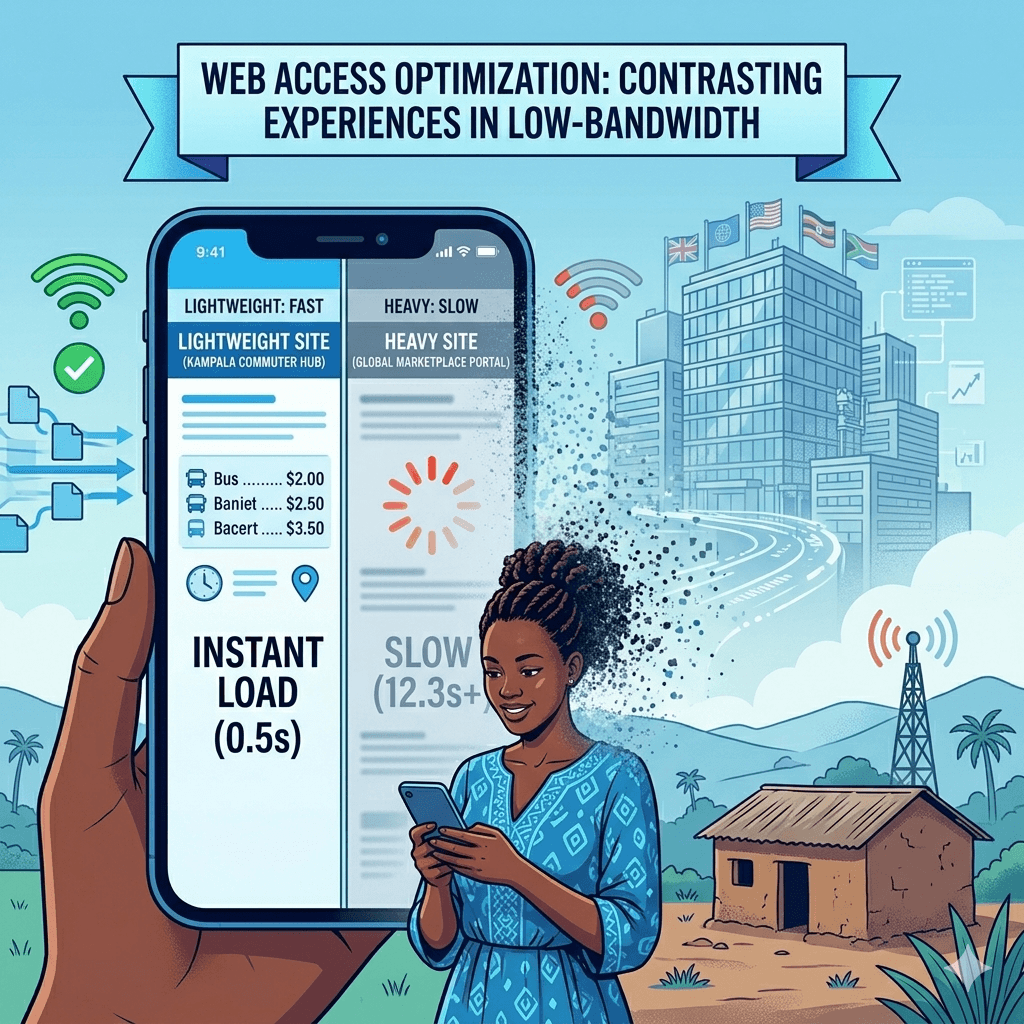
Optimizing for mobile users in Uganda is not the same as optimizing for fast desktop connections. Here is what matters most:
Use Lightweight Themes
Themes like Astra, GeneratePress, and Kadence are specifically designed to be fast and lightweight. They load in under a second and come with minimal default styling meaning you only add what you need. Avoid feature-heavy themes that load dozens of scripts even when you are not using those features.
Reduce Page Size
For users on 2G and 3G networks, aim for a total page size under 500KB for key landing pages. Remove unnecessary sliders, videos, and heavy background images. Every kilobyte you cut is a faster load time for your mobile visitors.
Optimize Fonts and Media
Custom web fonts add extra HTTP requests. Limit yourself to one or two font families and load only the weights you actually use. For videos, never auto-play or embed large files, use YouTube or Vimeo embeds with lazy loading instead.
Test on Slow Internet Connections
Use Google Chrome’s DevTools to simulate a slow 3G connection and see exactly what your site feels like on a budget smartphone. This gives you a realistic view of the experience your Ugandan mobile visitors are having, and highlights where the biggest pain points are.
Best Free and Low-Cost Tools for Speed Optimization
Image Compression Tools
TinyPNG and Squoosh are free browser-based tools for compressing images before uploading. For WordPress, Smush (free tier) and ShortPixel (pay-per-use) automate compression on upload.
Speed Testing Tools
Google PageSpeed Insights is the most important because it reflects what Google sees. GTmetrix and WebPageTest offer deeper technical detail. All three are free and provide actionable recommendations.
Caching Plugins
WP Super Cache is completely free and beginner-friendly. W3 Total Cache offers more advanced options. LiteSpeed Cache is highly effective if your host supports it. All three are available in the WordPress plugin repository at no cost.
CDN Options
A Content Delivery Network (CDN) stores copies of your site’s files on servers around the world, so visitors get content from the nearest location. Cloudflare offers a free plan that includes CDN, basic DDoS protection, and performance improvements, an excellent starting point for any Ugandan website.
Common Mistakes to Avoid
Overloading Pages with Media
Adding multiple high-resolution images, autoplay videos, and large sliders to a single page is one of the fastest ways to tank your speed. Keep pages focused and lean. Ask yourself whether each media element genuinely helps the visitor.
Ignoring Mobile Users
Designing only for desktop is a major mistake in Uganda, where most internet users are on mobile. Always test your site on a smartphone and on a slow data connection to understand the actual experience your audience is having.
Using Too Many Plugins
More plugins usually means more problems. Each one adds code, potential conflicts, and security vulnerabilities. Stick to well-maintained, actively updated plugins that do one job well.
Not Testing Regularly
Speed optimization is not a one-time task. New content, plugin updates, and server changes can affect performance. Run a speed test at least once a month to catch any new issues before they affect your users.
Tips for Maintaining Website Speed Over Time
Regular Performance Checks
Schedule a monthly speed audit using Google PageSpeed Insights or GTmetrix. Keeping an eye on your score means you catch problems early, before they cost you traffic or customers.
Keep Plugins and Themes Updated
Outdated plugins are not just a security risk they can also slow your site down. Developers regularly release performance improvements in updates. Keeping everything current is one of the simplest ways to maintain good speed.
Monitor Hosting Performance
If your site suddenly slows down and you have not made any changes, your host may be the issue. Monitor your server uptime and response times using free tools like UptimeRobot. If problems persist, it may be time to upgrade or switch providers.
Optimize New Content Before Publishing
Build a habit of optimizing every image, avoiding unnecessary scripts, and checking page size before publishing new content. Also, make sure you have a regular Website Backup routine in place so you can restore your site quickly if anything ever goes wrong during optimization.
Conclusion
Speeding up your website in Uganda’s low-bandwidth environment is one of the best investments you can make for your online business. It improves user experience, boosts your search rankings, and helps you convert more visitors into customers.
You do not need to be a developer or spend a lot of money to see real results. Start with the basics: optimize your images, choose reliable hosting, enable caching, and remove what you do not need. Then test your changes and monitor your progress over time.
Even small improvements shaving one or two seconds off your load time can have a meaningful impact on how many people stay on your site and take action. Take it one step at a time, and your website will be noticeably faster before you know it.
Frequently Asked Questions
How fast should a website load in Uganda?
Ideally, your website should load in under three seconds for mobile users. Given the prevalence of 3G and 4G connections in Uganda, aiming for a page size under 500KB and a load time under two seconds on mobile will put you ahead of most competitors.
What is the easiest way to speed up a website?
The quickest win for most websites is optimizing images and enabling a caching plugin. These two steps alone can cut load times significantly with minimal technical effort. Start there before moving on to more advanced optimizations.
Do I need expensive hosting to get a fast website?
Not necessarily. Affordable hosting can still be fast if it uses SSD storage and is not overcrowded. The key is choosing a reliable host with a good track record. Spending a little more on a mid-tier plan often pays off more than spending extra on plugins and optimization tools while using poor hosting.
How do images affect website speed?
Images are typically the largest files on a webpage. Unoptimized images can easily add several seconds to your load time. Compressing and resizing images before uploading them is one of the most impactful things you can do to improve website performance.
What is caching and why is it important?
Caching saves a ready-to-serve version of your web pages so the server does not have to rebuild them from scratch for every visitor. It significantly reduces server load and speeds up page delivery, often cutting load times by half or more.
Can I improve speed without technical skills?
Yes, absolutely. Tools like caching plugins, image compression plugins, and CDNs like Cloudflare are designed to be user-friendly. Many optimizations can be done through your WordPress dashboard with no coding required. The tips in this guide are intentionally beginner-friendly.
How often should I test my website speed?
Test your website speed at least once a month. Also run a test any time you add a new plugin, change your theme, upload a batch of new content, or switch hosting providers. Regular testing catches problems before they affect your users.
Does website speed affect SEO rankings?
Yes, it does. Google officially uses page speed as a ranking factor, especially for mobile search. A faster website tends to rank higher, get more organic traffic, and retain visitors longer all of which send positive signals to search engines. Improving your speed is also improving your SEO.