

Introduction
If you have ever landed on a website and immediately felt confused, frustrated, or lost, that is a UI/UX problem. On the flip side, if you have used an app that felt smooth, intuitive, and even enjoyable, that is great UI/UX design at work.
UI/UX design is the art and science of creating digital products that look good and work even better. It covers everything from how a button is placed on a screen to how easy it is for someone to complete a task on your website or mobile app. In Uganda’s rapidly growing digital economy, UI/UX design meaning goes far beyond aesthetics. It is about building trust, keeping users engaged, and turning visitors into loyal customers.
Whether you are an aspiring designer, a freelance creative, or a business owner looking to improve your online presence, understanding UI UX design Uganda trends and practices is one of the smartest investments you can make right now.
What is UI/UX Design?
Let’s break it down simply.
UI stands for User Interface. It refers to the visual elements you see and interact with on a screen: buttons, icons, colors, typography, images, and the overall layout. Think of it as the look of a digital product.
UX stands for User Experience. It refers to the overall feeling a user gets while navigating a product. Is it easy to use? Does it solve their problem quickly? Is the journey from start to finish smooth? UX design explained simply is: how does using this product make you feel?
Together, UI and UX design create digital experiences that are visually appealing and functionally excellent. A good analogy is a restaurant: UI is the interior design and how the menu looks, while UX is the whole dining experience from how quickly you were seated to how enjoyable the meal was.
In practice, this applies to websites, mobile apps, and any other digital platform. If you are building or improving a product through App Development, understanding UI/UX design basics will help you build something people actually want to use.
Why UI/UX Matters for Businesses in Uganda
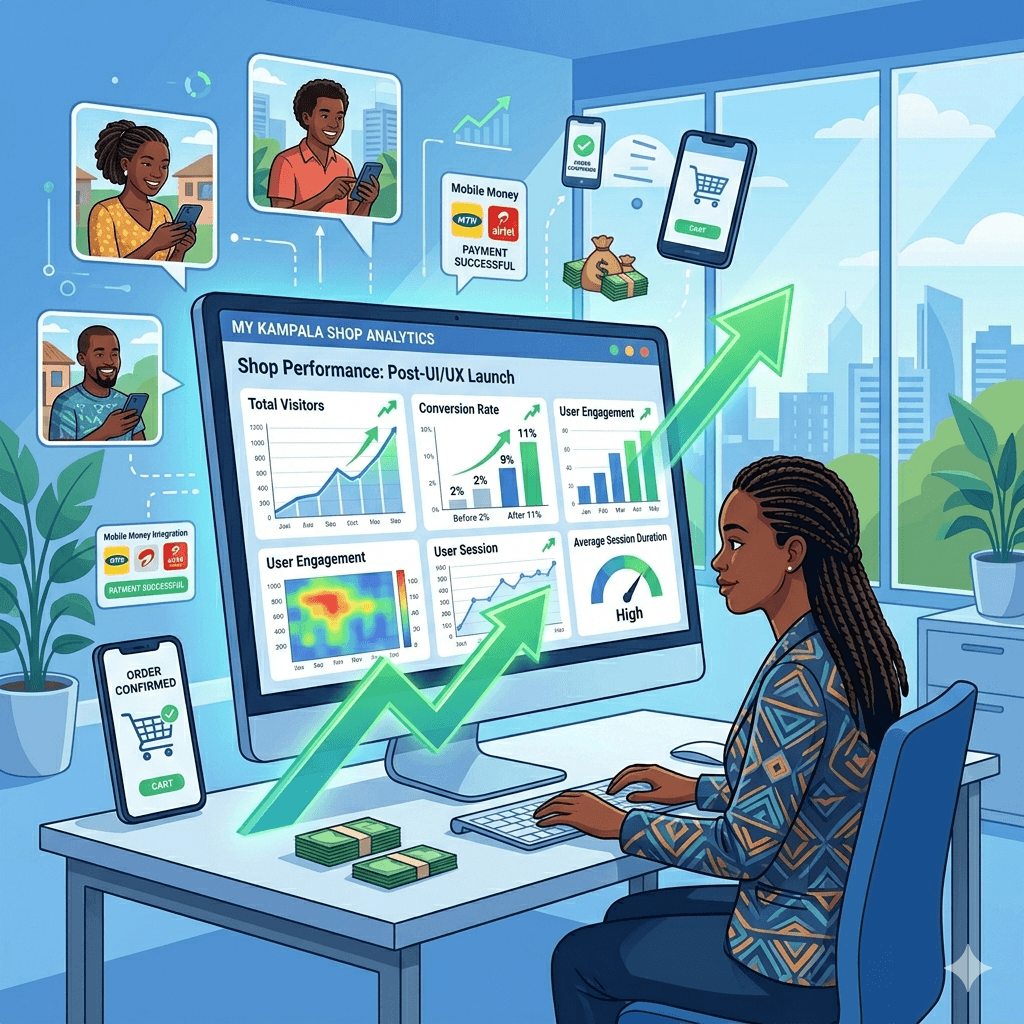
Uganda’s digital market is growing fast. More Ugandans are going online every day, using smartphones to shop, bank, learn, and connect. With this growth comes competition and your digital presence can either win customers or send them straight to your competitor.
Here is why the importance of UI/UX design cannot be ignored by any Ugandan business:
First impressions matter. Studies show that users form an opinion about a website within 0.05 seconds. If your site looks outdated or cluttered, visitors leave before you even get a chance to make your pitch.
Customer trust is built visually. A well-designed interface signals professionalism and credibility. For users in Uganda who may be cautious about online transactions, a trustworthy design can make all the difference.
Good UX reduces bounce rates. If your website is confusing or slow, people leave. A clear, well-structured experience keeps users on your site longer, increasing the chance they will take action.
UI/UX design also plays a big role in search engine visibility. Search engines like Google reward sites with good user experience. This ties directly into your SEO Servicesstrategy. Better UX often means better rankings.
For businesses investing in professional Web Design, strong UI/UX principles are embedded into every design decision to ensure your site converts visitors into paying customers.
Key Principles of Good UI/UX Design
Understanding the core principles of UI/UX design basics gives you a solid foundation whether you are designing from scratch or evaluating your existing product.
Usability and Simplicity
A good design should be easy to use without needing a manual. If users have to think too hard about how to navigate your site or app, something is wrong. Keep it clean, simple, and intuitive. Think about mobile app UI/UX design principles. The best apps in the world are ones that feel effortless.
Consistency in Design
Colors, fonts, button styles, and layout patterns should remain consistent across all pages and screens. Inconsistency creates confusion and makes your brand look unprofessional. Think of it like a uniform when your design elements match, users feel more at ease.
Visual Hierarchy
Not everything on a page should scream for attention. Visual hierarchy guides users’ eyes to what matters most to your headline, call-to-action, or key information. Using size, contrast, and spacing strategically helps users absorb content quickly.
Accessibility for All Users
Good design should be usable by everyone, including people with disabilities. This means ensuring sufficient color contrast, readable font sizes, and screen-reader compatibility. Accessible design is not just ethical, it also expands your potential audience.
Mobile Responsiveness
In Uganda, the majority of internet users access content on mobile phones. If your website does not look and function well on a smartphone, you are losing a huge chunk of potential customers. Mobile-first design is no longer optional; it is essential.
UI vs UX: What’s the Difference?
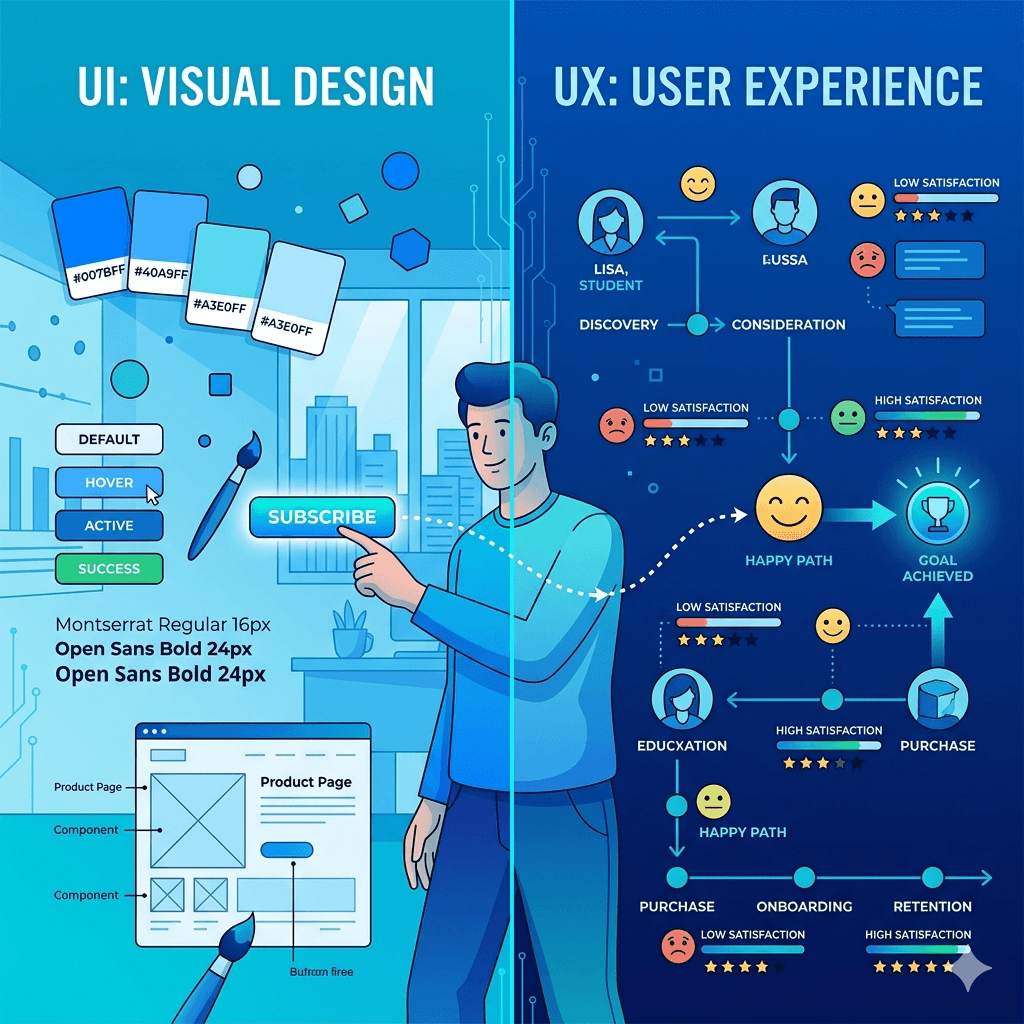
People often use UI and UX interchangeably, but they are actually different though deeply connected.
The difference between UI and UX design is this: UI design is about how a product looks. UX design is about how a product works and feels to use.
Here is a simple example. Imagine a food delivery app in Kampala. The UI designer decides the colors, icons, font, and button placement. The UX designer maps out the entire journey how a user discovers the app, searches for food, adds items to their cart, pays, and tracks their order. A beautiful app with a confusing checkout process is a UI win but a UX failure.
Both work together to create a complete, satisfying user experience. You cannot have truly great design without both pieces working in harmony.
UI/UX Design Process Explained
The UI/UX design process step by step is a structured approach that ensures the end product actually works for real users. Here is how it typically unfolds:
User Research and Understanding Target Audience
Every good design starts with understanding who you are designing for. This involves interviews, surveys, and observation to learn what users need, what frustrates them, and what they hope to accomplish. For a business in Uganda, this might mean understanding that your audience predominantly uses low-end Android phones and prefers content in Luganda or Swahili.
Creating User Personas
A user persona is a fictional but realistic profile of your target user. It includes details like age, occupation, goals, and pain points. Personas keep your design decisions grounded in real-world needs rather than assumptions.
Wireframing and Prototyping
A wireframe is like a blueprint, a simple, black-and-white sketch of how a screen should be laid out. Prototypes take it a step further by creating a clickable, interactive version of the design that users can test before the real product is built.
Visual Design and Interface Creation
This is where UI design takes center stage. Colors, typography, imagery, and interactive elements are applied to the wireframe to create a polished, branded interface. This stage is where tools like Figma for UI/UX design beginners become especially valuable.
Testing and Feedback Collection
Before launching, real users test the product. Their feedback reveals what works and what needs fixing. This is called usability testing, and it is one of the most important steps in the whole process.
Iteration and Improvement
Design is never truly finished. After launch, data and user feedback guide continuous improvements. The best digital products keep evolving based on what users actually do. You can see real examples of this process applied in client work through the Portfolio, which showcases how UI/UX processes translate into real digital outcomes.
Tools Used in UI/UX Design

You do not need expensive software to get started. The best tools for UI/UX design are accessible, some even free, and widely used by professionals around the world.
Figma for Design and Collaboration
Figma is the most popular UI/UX tool right now, and it is browser-based, which means you can use it on any computer without a powerful machine. It allows real-time collaboration, making it perfect for teams. For anyone looking to learn Figma for UI/UX design beginners, there is a free tier that gives you access to everything you need to get started.
Adobe XD for Prototyping
Adobe XD is a powerful tool for creating interactive prototypes and design systems. It integrates well with other Adobe products and is favored by designers already in the Adobe ecosystem.
Sketch for Interface Design (Mac Users)
Sketch is a professional-grade design tool available exclusively for macOS. It is widely used in agencies and tech companies for creating detailed UI designs and design systems.
InVision for Testing and Prototyping
InVision is popular for creating click-through prototypes and gathering feedback from stakeholders. It makes it easy to share designs with clients and collect annotated comments, streamlining the review and iteration process.
Benefits of Good UI/UX Design for Business Growth
Investing in UI/UX design for business is not just about aesthetics. The return on investment is real and measurable. Here is how strong UI/UX design directly contributes to business growth:
Higher Conversion Rates: When it is easy for visitors to find what they need and complete a purchase or inquiry, more of them actually do it. Good design removes friction and reduces drop-offs. Understanding how UI/UX affects website conversion rates is key for any business that generates revenue online.
Reduced Bounce Rates: If users land on your page and quickly leave because it is confusing or slow, your bounce rate goes up. A high bounce rate signals poor user experience to search engines, which can hurt your rankings.
Stronger Brand Credibility: A professional, well-designed digital product tells users that you take your business seriously. It builds the kind of trust that turns casual visitors into repeat customers.
Better SEO Performance: Search engines factor in user engagement signals like time on page and click-through rates. A site with excellent UX naturally performs better in search results, which complements your overall SEO Guide strategy.
Lower Customer Support Costs: When users can navigate your product without getting stuck, they contact your support team less often. This saves time and money in the long run.
Common UI/UX Design Mistakes to Avoid
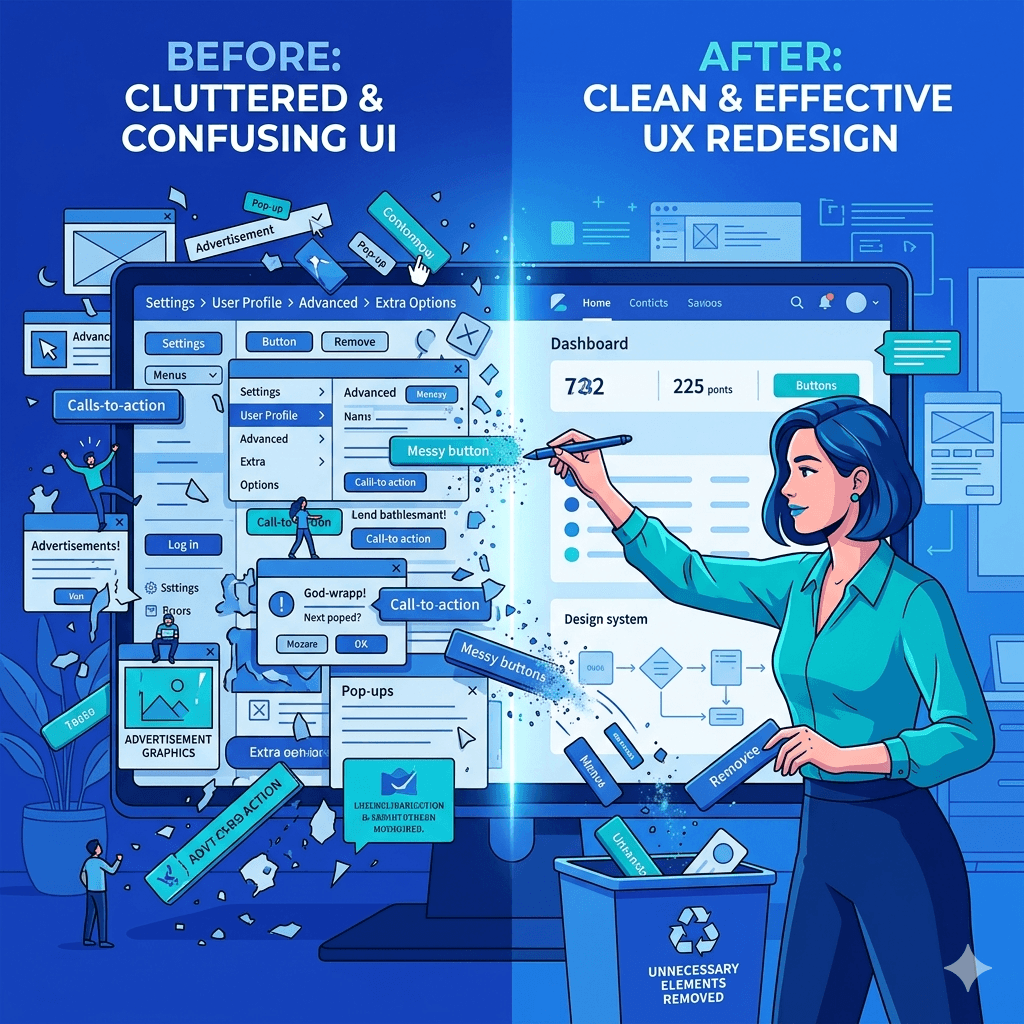
Knowing the most common UI/UX design mistakes to avoid can save you a lot of time and money. Here are the pitfalls to watch out for:
• Overcrowded Interfaces: Trying to put everything on one screen leads to visual noise. Users get overwhelmed and do not know where to look. White space is your friend, use it generously.
• Poor Navigation Structure: If users cannot find what they are looking for in three clicks or fewer, your navigation needs work. Menu items should be clearly labeled and logically grouped.
• Ignoring Mobile Users: With so many Ugandans browsing on smartphones, a design that only works on desktop is a design that is failing most of your audience. Always test on mobile.
• Lack of User Testing: Designing based on assumptions rather than real feedback is one of the most costly mistakes in the process. Always test with actual users before launching, even informally.
• Inconsistent Branding and Visuals: Mixed fonts, random color choices, and inconsistent button styles make your brand look unprofessional. Establish a design system early and stick to it.
How to Start Learning UI/UX Design in Uganda
The good news is that you do not need to be in a big city or attend an expensive university to learn UI UX design Uganda style. Here is a practical roadmap to get started:
Learn Design Fundamentals
Before jumping into tools, understand the basics: color theory, typography, layout grids, and contrast. These are the building blocks of all visual design. Free resources like YouTube channels and design blogs are a great starting point.
Practice with Beginner-Friendly Tools Like Figma
Figma is the go-to starting point for most beginner UI UX design course Uganda learners. It is free to start, runs in your browser, and has thousands of tutorials specifically for beginners. Start by recreating existing apps and websites before moving on to original designs.
Take Online Courses and Tutorials
Platforms like Coursera, Google UX Design Certificate, and YouTube offer structured learning paths. Many are free or affordable. Look for courses that cover both theory and hands-on practice with real design tools.
Build Small Projects and Case Studies
Nothing speaks louder than a solid portfolio. Redesign local apps or websites you use daily. Create fictional projects that solve real problems. Document your design process and thinking, because clients and employers care as much about how you think as what you produce.
Join Local or Online Design Communities
Connect with other designers in Uganda through Facebook groups, WhatsApp communities, and events like design meetups in Kampala. Online communities like Dribbble, Behance, and Reddit’s r/UXDesign are also fantastic for feedback and inspiration. Learning alongside others accelerates your growth significantly.
Conclusion
UI/UX design is not just a trend, it is a core part of building successful digital products in today’s world. For anyone in Uganda, whether you are an aspiring designer, a freelancer, or a business owner, understanding user experience design Uganda practices gives you a powerful edge.
Good design builds trust, keeps users engaged, improves your search engine visibility, and ultimately drives more sales. The barriers to learning have never been lower, the tools are free, the courses are online, and the demand for skilled UI/UX designers in Uganda is growing every day.
Start small, stay consistent, and focus on solving real problems for real people. Whether you are redesigning a local business website or building the next great Ugandan app, the principles in this guide will point you in the right direction.
Frequently Asked Questions
What is UI/UX design in simple terms?
UI/UX design meaning in simple terms: UI design is how a digital product looks (colors, buttons, layout), and UX design is how it feels and works to use. Together, they ensure digital products are both attractive and easy to navigate.
Why is UI/UX important for websites and apps?
Why UI UX design is important for websites comes down to user retention and business performance. A well-designed site or app keeps users engaged, reduces frustration, and increases the likelihood that visitors complete a desired action like making a purchase or filling in a form.
Do I need coding skills to learn UI/UX design?
No, coding is not required to learn or practice UI/UX design. Most design tools like Figma, Adobe XD, and InVision are completely visual and code-free. However, having a basic understanding of how websites and apps are built can make you a more effective collaborator with developers.
What tools are best for beginners in UI/UX?
The best tools for UI/UX design for beginners are Figma (free, browser-based, and widely used), Adobe XD (great for prototyping), and InVision (excellent for testing and feedback). Figma is generally the recommended starting point due to its ease of use and strong community support.
How long does it take to learn UI/UX design?
With consistent effort, you can learn the basics of UI/UX design in 3 to 6 months. Building a solid portfolio and landing your first freelance or entry-level role typically takes between 6 months and a year. The timeline depends on how much time you invest daily and the quality of resources you use.
Can UI/UX design help my business grow?
Absolutely. UI/UX design for small businesses has a direct and measurable impact on growth. From reducing bounce rates and improving conversion rates to building brand trust and boosting SEO performance, good design touches every aspect of your digital business performance.
What is the difference between UI design and UX design?
UI design focuses on visual and interactive elements that you see on screen. UX design focuses on the overall user journey and how the experience flows from beginning to end. UI is a subset of the broader UX process, and both are necessary for a truly effective digital product.
Is UI/UX design a good career in Uganda?
Yes, knowing how to become a UI/UX designer in Uganda is increasingly valuable as more businesses invest in digital transformation. Local startups, NGOs, international companies, and government agencies all need skilled designers. You can work as a freelancer, join a design agency, or work in-house with a tech company. The demand is growing, and the skills are transferable globally.